
Cooler and less humid conditions for the eastern third of the nation as a cold slides off the east coast. Combination of dry and breezy conditions may result in spread of wildfires across the lower Mississippi Valley. In addition, fire weather conditions linger into portions of Southern California. For Guam, a super typhoon is approaching. Read More >
|
The NWS online radar display has CHANGED! The web address is the same, but there is a completely new interface: The display has many options, and may take some time to become familiar with it. This is a short tutorial on how to use the interface. See the following images for tips, and read on for more details and familiarization exercises/procedures. |
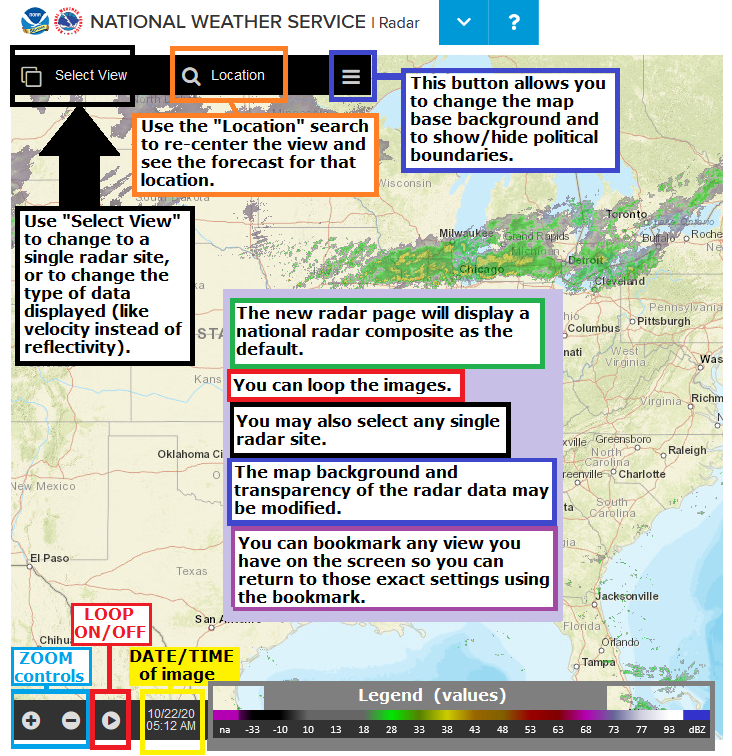
| Single Radar: | Navigation: | Map settings: |
|
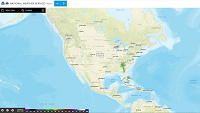
Start:
|
 |
|
Zoom in/out:
|
 |
|
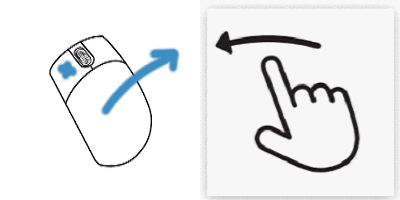
Pan (slide the map around):
|
 |
|
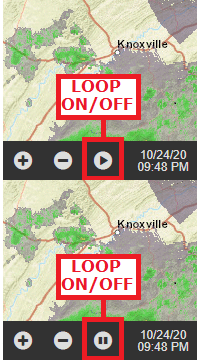
Loop the image:
|
 |
|
Center on a specific town/location:
|
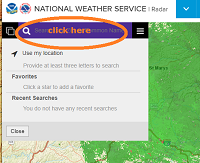 |
|
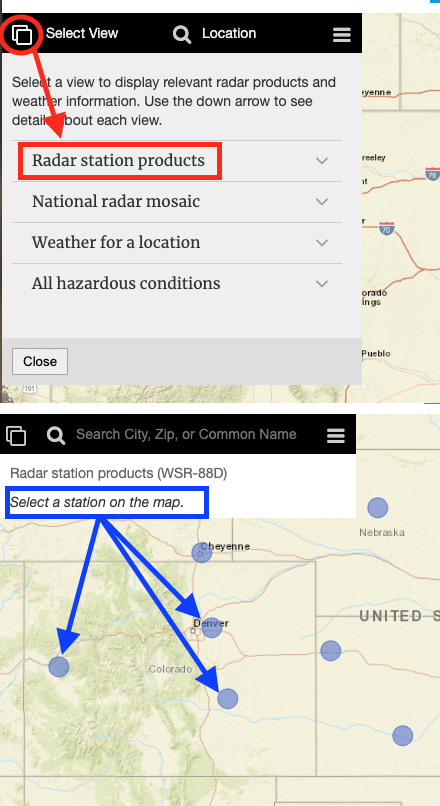
Select a specific/single radar site:
|
|
|
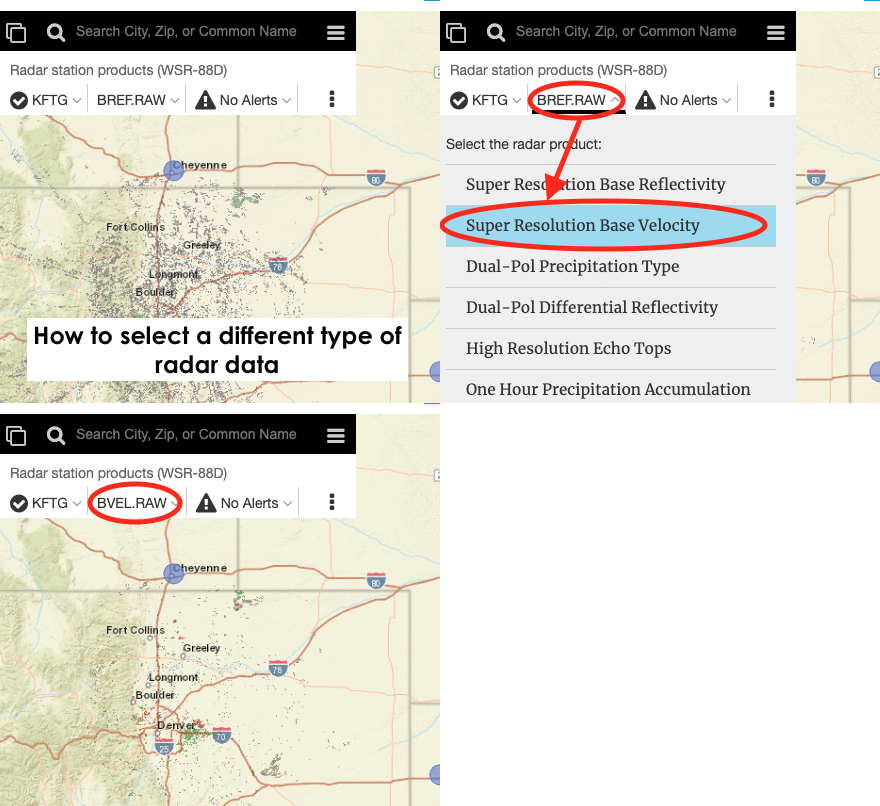
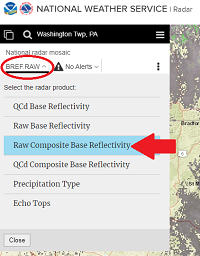
View different radar data for a single radar site:
|
|
|
View more options in single-radar mode:
|
|
|
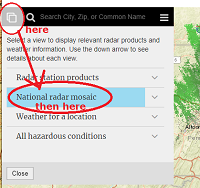
Go back to the National Radar Mosaic:
|
---- then -----
|
|
You can BOOKMARK any view you like ! Firm up your settings/preferences (location/zoom/radar image type/data/map background/transparency/loop) before you hit the: "bookmark this page" button/feature on your browser. |
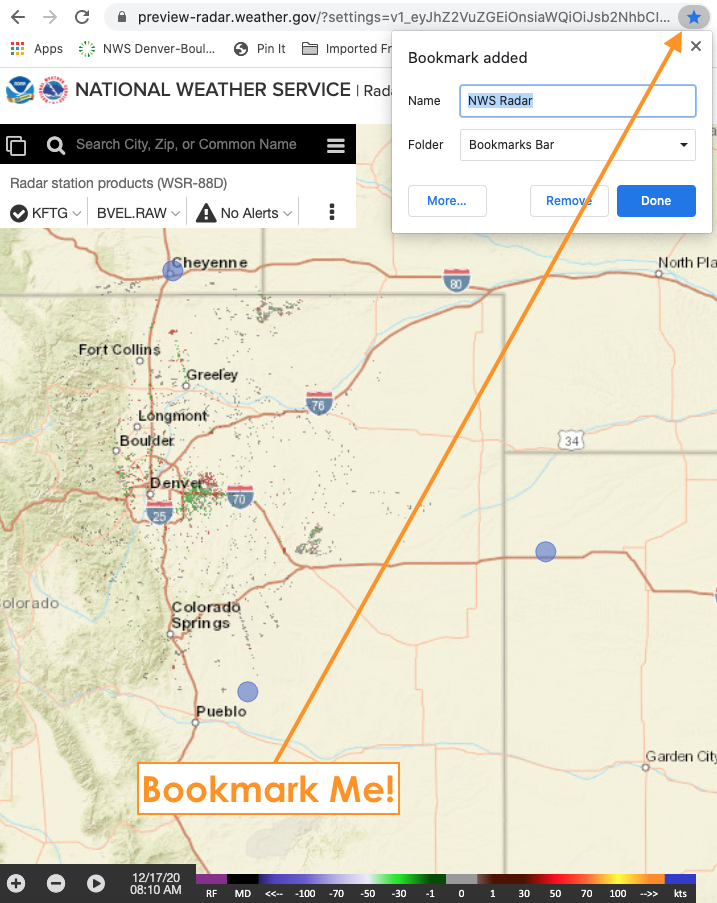 |
|
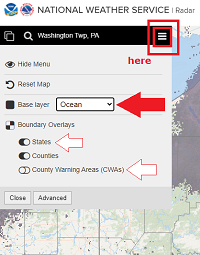
Choose Map Backgrounds:
|
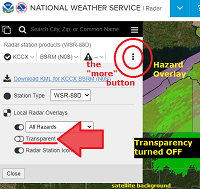
-- changing transparency in done in single radar mode "more" window --
|




 Radar
Radar Current Weather
 Rivers & Lakes
 Satellite
 Forecast Maps
 Hour by Hour Forecast
 Winter Weather
 Graphical Hazards
 Weather Hazards Briefing
 Fire Weather
 Text Forecasts and Statements
 Forecaster's Discussion
 Tropical Weather
 Send Us a Report
 Follow us on Twitter
  Follow us on Facebook
  CTP RSS Feed
  Follow us on X
 Follow us on Facebook
 Follow us on YouTube
 BOU RSS Feed