
Severe thunderstorms which can bring large hail, damaging winds, and isolated tornadoes will be possible over parts of the central U.S. through this weekend. Thunderstorms with heavy to excessive rainfall moving from Texas into the mid-Mississippi Valley through this weekend may produce areas of flooding. Read More >
|
The NWS radar display is changing in December 2020! The new interface is currently in preview mode on a test server: https://preview-radar.weather.gov/ The display has many options, and may take some time to become familiar with it. This is a short tutorial on how to use the interface. See the following images for tips, and read on for more details and familiarization exercises/procedures. Feel free to watch the video tutorial HERE |
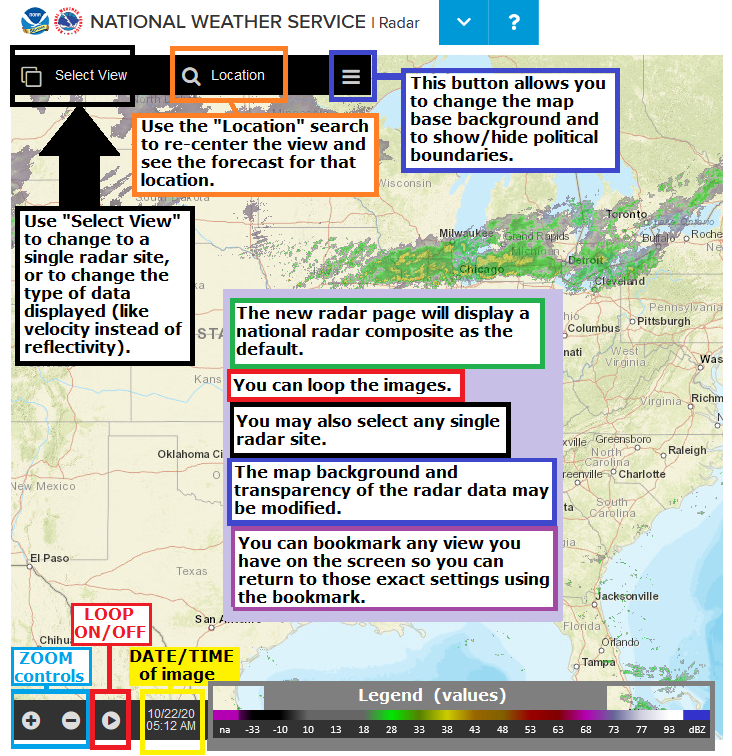
| Single Radar: | Navigation: | Map settings: |
|
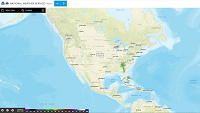
Start:
|
 |
|
Zoom in/out:
|
 |
|
Pan (slide the map around):
|
 |
|
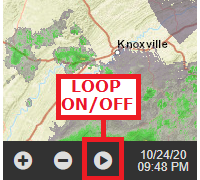
Loop the image:
|
 |
|
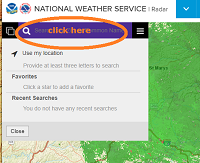
Center on a specific town/location:
|
 |
|
Select a specific/single radar site:
|
|
|
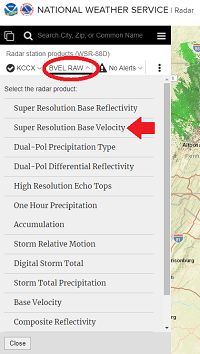
View different radar data for a single radar site:
|
-- then ---
|
|
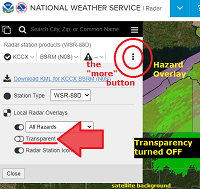
View more options in single-radar mode:
|
|
|
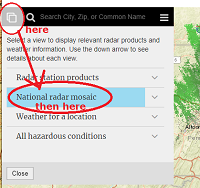
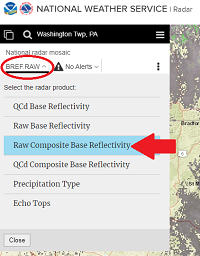
Go back to the National Radar Mosaic:
|
---- then -----
|
|
You can BOOKMARK any view you like ! Firm up your settings/preferences (location/zoom/radar image type/data/map background/transparency/loop) before you hit the: "bookmark this page" button/feature on your browser. |
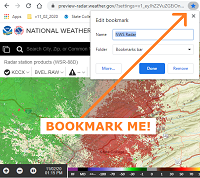 |
|
Choose Map Backgrounds:
|
-- changing transparency in done in single radar mode "more" window --
|



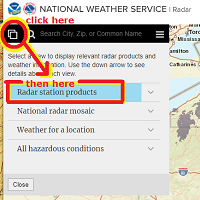 ----- then ----------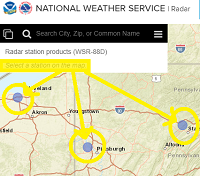
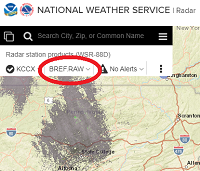
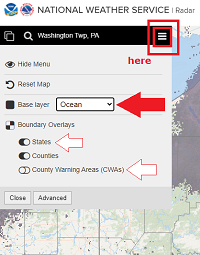
 Radar
Radar Current Weather
 Rivers & Lakes
 Satellite
 Forecast Maps
 Hour by Hour Forecast
 Tropical Weather
 Graphical Hazards
 Coastal Flood
 Marine Forecasts
 Text Products
 Climate Information
 Skywarn
 Submit Storm Report
 Weather Event Archives
 Forecast Discussion
 Emergency Managers
 Briefing Page
 Follow us on X
 Follow us on Facebook
 Follow us on YouTube
 PHI RSS Feed